

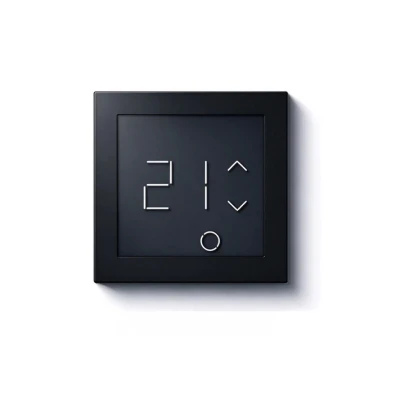
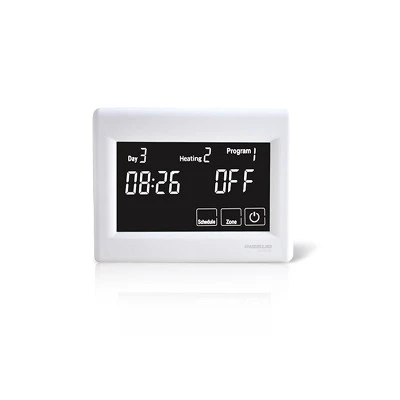

There are three main steps to turning off a floor heating thermostat: powering it down, switching the mode, or setting it to a low temperature.
1. Manual Operation Steps
For most floor heating thermostat models:
① Locate the power button on the control panel (usually marked with a power symbol or the word "Power") and press and hold it for 3 seconds to shut down the system.
② If there is no dedicated power button, try switching the mode to "OFF" or "Standby."
③ For some touchscreen thermostats, you may need to unlock the screen first (often by long-pressing a small padlock icon) before navigating to the "off" option.
2. Emergency Power Cut-off
If the control panel becomes unresponsive, you can locate the circuit breaker (often labeled "Floor Heating" or "Heating") in your home's electrical distribution box and flip the switch to the "OFF" position. Please note that frequently cutting off power in this manner may shorten the lifespan of the equipment.
3. Special Scenarios
• Short-term absence during winter: It is recommended to set the system to a "freeze protection" mode (around 10–12°C) rather than turning it off completely, which helps prevent pipes from freezing and bursting (applies to hydronic/water-based heating systems).
• Electric floor heating users: After turning off the system, ensure that the valves on the manifold are tightly closed to prevent any risk of water leakage.
Many modern thermostats feature remote control via a mobile app (such as those from brands like Nest or Honeywell), allowing you to turn the system off with a single tap from anywhere. If the system will not be used for an extended period, it is advisable to contact a professional to drain the pipes of a hydronic heating system, which helps prevent internal scale buildup.